

AM+ Layout Designer Updates
Make Sure To Overwrite The Exe (False Positive)
Two new Reference categories added, pulled straight from Manual.md and Readme.md content — genuinely new info not already in the tool:
AM+ Filters & Rules — rule format, all 8 comparisons, full Rule Target field lists (Romlist fields, Tags, Stats), Global Filter example, regex matching tip
AM+ Artwork System — default artwork slots, supported formats, the full artwork selection order (the 8-step fallback chain from Manual.md), subdirectory fallback behaviour, multi-path artwork, Displays Menu artwork rules
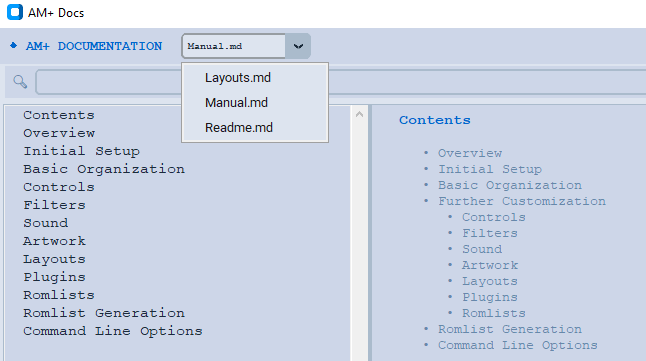
AM+ Docs tab upgraded from a single hardcoded Layouts.md loader to a dropdown picker supporting all three docs:
Auto-detects whichever of Layouts.md, Manual.md, Readme.md exist next to the script
Dropdown switches between them instantly
📂 Load File still works for browsing to any other location, and syncs the dropdown if the filename matches
Fallback message updated to mention all three files instead of just Layouts.md
All three markdown files copied alongside the script in outputs so the Docs tab works immediately out of the box.
Make Sure To Overwrite The Exe (False Positive)
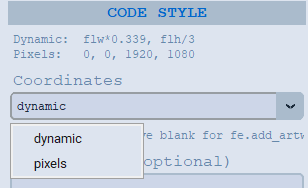
New CODE STYLE section in Properties (right under Position & Size) for every element type:
Coordinates dropdown:
dynamic (default) → local snap_4512 = fe.add_artwork("snap", flw*0.339, flh*0.028, flw/3, flh*0.444);
pixels → local snap = fe.add_artwork("snap", 0, 0, 1920, 1080);
Constructor field — type any custom function name to replace the default:
Leave blank → uses standard fe.add_artwork / fe.add_text / fe.add_image / fe.add_surface automatically based on element type
Type FadeArt → local snap = FadeArt("snap", 0, 0, 1920, 1080);
Both settings are per-element — so you can mix and match across your layout, e.g. snap and video using FadeArt(...) with raw pixels, while text elements stay on fe.add_text(...) with dynamic flw/flh expressions.
The choice is saved with the element and restored correctly when you click it again, and updates the live code immediately.
Updated 08-29-2026
Make Sure To Overwrite The Exe (False Positive)
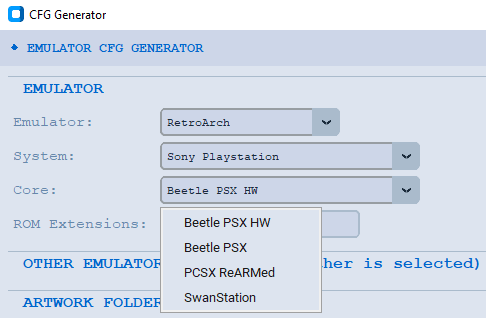
Core selection feature:
New CFG_CORES module-level dict — same 9 RetroArch systems with real alternate core choices (Arcade, NES, SNES, N64, Sega Master System, Genesis, Saturn, PlayStation, TurboGrafx-16)
New Core dropdown row between System and ROM Extensions — shows only for RetroArch when a system has more than one option, never shows for MAME
All the bug fixes:
Idempotent _cfg_on_sys_change — unconditionally hides the Core row first, every call, before deciding whether to re-show it
Clear-before-swap pattern on both System and Core comboboxes, preventing the readonly-combobox value/list mismatch crash
after_idle deferral in _cfg_on_emu_change so it always settles after any nested trace callbacks
try/except wrapping both handlers, reporting problems to the status bar instead of letting them surface as raw Tk error dialogsGlobal safety net — report_callback_exception is now overridden on the main AttractLayoutBuilder app itself, exactly like the standalone tool, so any unexpected callback error anywhere in the whole Layout Designer (not just the CFG tab) is caught safely rather than showing a native error box in a compiled .exe.Filename fix — already applied (Sega Genesis.cfg not Sega_Genesis.cfg).Everything else in the tab (artwork checkboxes, extra options, editable preview, emulator website links) is unchanged and still works exactly as before.
Updated 09-07-2026
Make Sure To Overwrite The Exe (False Positive)
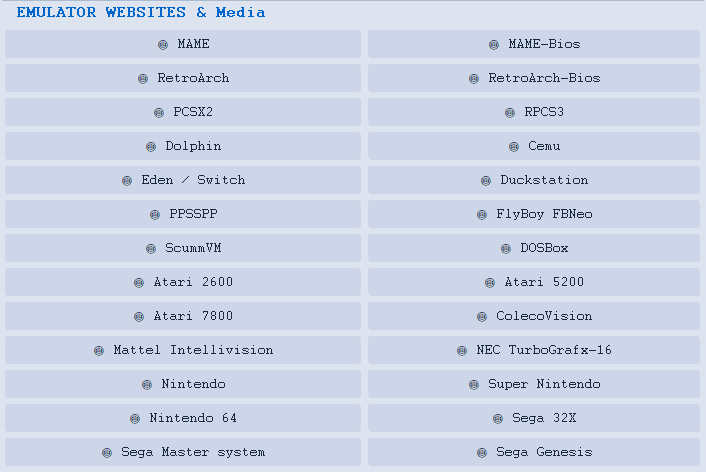
Added Links To Some Media For Console Systems in Tools/CFG Generator
Boxart, Logos, Snaps, ect
Updated 09-19-2026
Make Sure To Overwrite The Exe (False Positive)
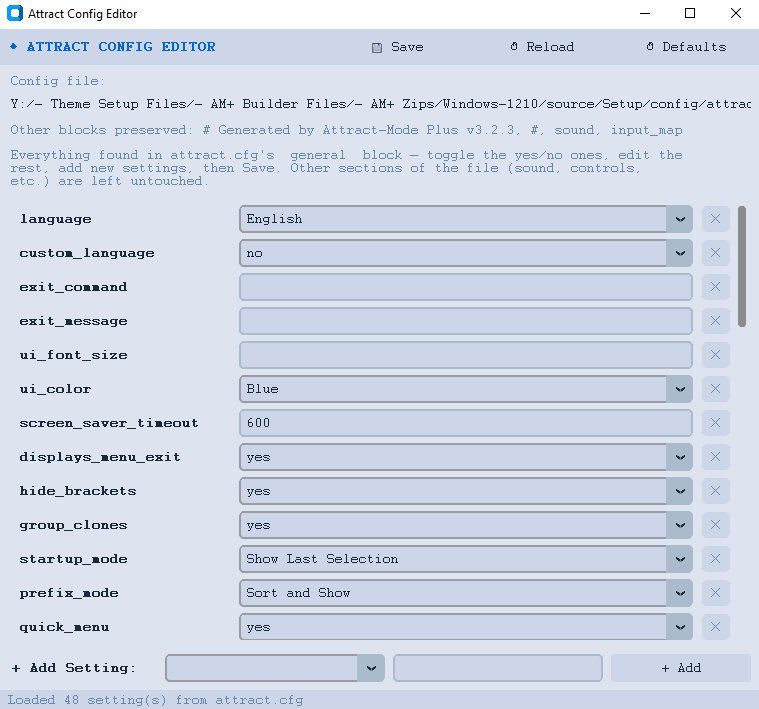
Now You Can Edit Your attract.cfg
* Fixed The Switch Link (in cfg generator) *
Create Your Own Website With Webador